
i’ve typed “what set was this printed in?” more times than i’d like to admit. And the worst part is when you finally find the right printing, it’s the wrong art, or the frame is off, or you accidentally grabbed the reprint that looks nothing like what you had in your head.
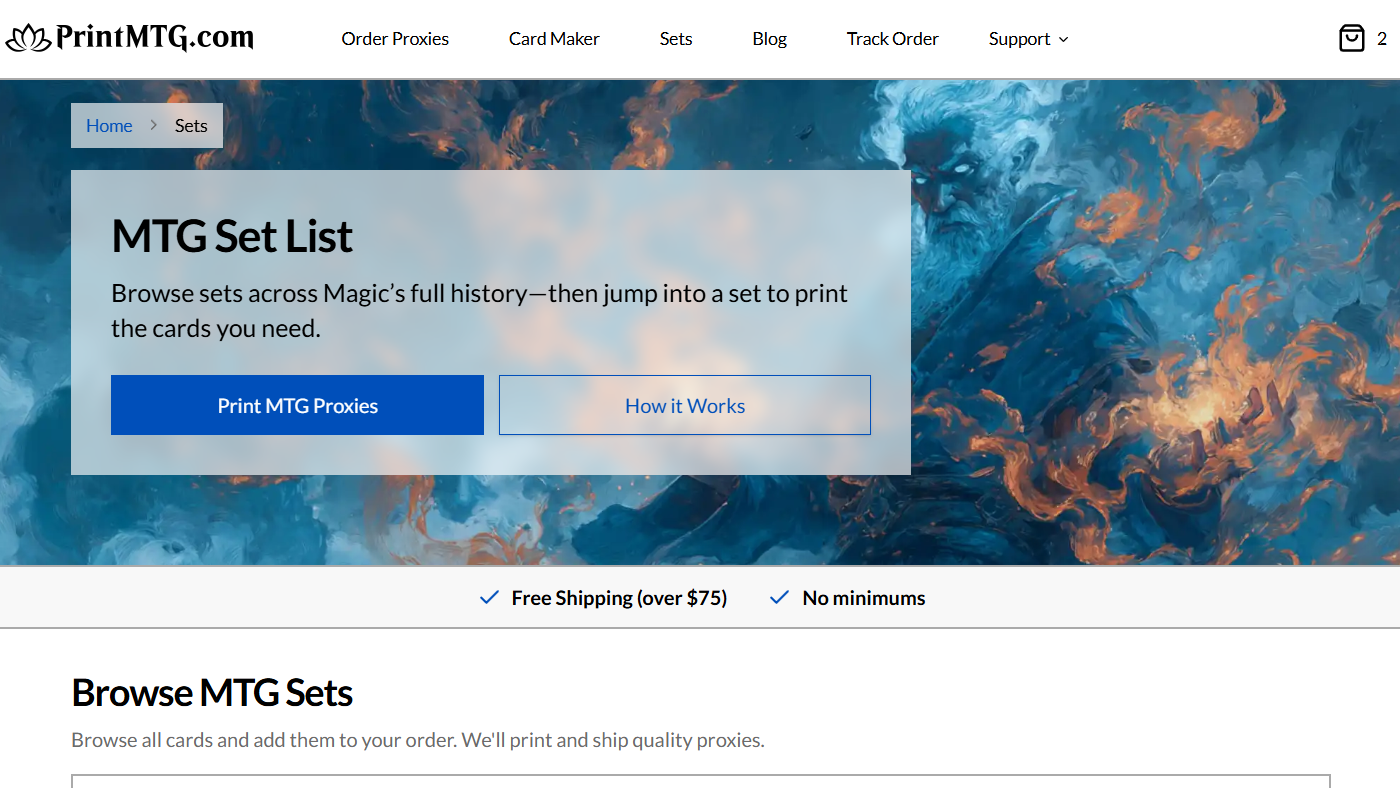
That’s why the new MTG set list experience on PrintMTG is such a relief. Instead of hunting one card at a time, you can browse Magic’s history by set, jump into any release, and add cards to your order as you go. It’s the kind of feature that feels obvious in hindsight, which usually means it was overdue.
The MTG set list is built for people who care about printings
Magic has a lot of sets. Like, a lot a lot. Mainline Standard releases, supplemental sets, reprint sets, Commander products, special releases, crossovers, the whole buffet.
When you’re proxy-printing, that volume becomes a problem fast. Search a staple by name and you might get a pile of versions that all technically work, but only one matches what you want in your deck.
Set browsing flips that. You start with the set, then pick the exact printing inside it.
This matters more than most players think, because “same card” is rarely just “same card” anymore. Between alternate art, showcase frames, retro treatments, bonus sheets, and reprints spaced across different eras, the set is often the cleanest way to lock in the vibe you’re trying to build.
And yes, you can still search by card name. But the MTG set list is for when you already know what you want and don’t feel like scrolling through fifteen nearly-identical options to find the one with the art you remember.
Browse historical MTG sets without bouncing between five websites
A normal “all sets in order” page is useful, but it’s usually just a giant list. Helpful for trivia. Less helpful for building an order.
PrintMTG’s set browsing is designed to be actionable: pick a set, browse the cards, add what you need, keep moving.
It also covers the stuff people actually ask for:
Older expansions and historical MTG sets, alongside modern releases.
Commander sets and Commander precons (where set data and printings are available).
Masters sets and other special releases that are basically reprint treasure chests.
So if you’re building something nostalgic (old-border chaos, a throwback cube, a theme deck that only uses a specific era), you don’t have to treat set selection like a detective case. You can just… browse the set.
That’s the quiet win here. Less hunting. More building.
Add cards to your order while you browse sets
Here’s the part that makes it feel like a real workflow instead of a reference page.
On the set list page, the intent is simple: browse all cards and add them to your order, then PrintMTG prints and ships quality proxies. In practice, it means you can build your order in the same mental mode you build decks: “oh yeah, this set has that card,” click, add, done.
That’s also a nice complement to the other ways PrintMTG already works. If you’re starting from a decklist, you can upload or paste it. If you’re brewing from scratch, you can search cards. And now if you’re building by vibes, by era, or by specific printings, you’ve got set browsing as a first-class path.
And it helps with the most common proxy moment of all: when you’re halfway through an order and you remember one more card you want to test.
Instead of opening a new tab, searching around, second-guessing the printing, and losing your place, you can stay inside the set you meant to pull from and just add it.
Why set symbols, set codes, and reprints suddenly matter (even if you hate details)
If you’ve ever looked at a tiny symbol and thought “cool, this tells me nothing,” you’re not alone. But those little markers exist for a reason.
Sets have names, release dates, set codes, and set symbols. Databases use them to keep printings organized, and players use them to confirm they’re looking at the right version. That’s especially true for staples that get reprinted constantly.
Set browsing is basically the human-friendly way to use that system without needing to memorize anything.
You pick the set name you recognize, and the card pool underneath it is already filtered to the printings from that release. No guesswork, no “wait, is this the Commander printing or the main set printing?” spiral.
If you want to go deeper on “what actually counts as the right size and layout for a real-feeling proxy,” this pairs nicely with PrintMTG’s own guide on sizing and print setup: The Dimensions of a Magic Card: A Complete Guide.
Real ways players will use this (besides just browsing for fun)
The obvious use is finding a specific version of a card. But the MTG set list shines in a few other common situations:
You’re tuning a mana base and want lands from a specific era or treatment. Land reprints are everywhere, and the “same” land can look wildly different across releases. If you’re in that mode, you’ll probably also like this breakdown: The Essential Guide to Lands in Magic: The Gathering.
You’re building a cube and want consistent art direction. Set browsing makes it easier to keep a tight visual theme instead of ending up with a random soup of frames.
You’re recreating an old deck for nostalgia night. Sometimes the point is the feeling, not the efficiency. Grabbing printings from the right set helps the deck feel “right” in a way that’s hard to explain until you’ve seen it.
You’re testing a new list but you only want certain versions. Maybe you want everything in modern frame. Or everything in retro. Or you’re trying to match a Commander deck’s aesthetic. Set browsing gives you control without turning the process into homework.
Closing thoughts
A good tool gets out of your way. That’s what set browsing does.
The MTG set list on PrintMTG makes it easy to move through Magic’s full history, pick the exact sets you care about, and add cards straight into an order without breaking your flow. If you’ve ever cared about the “right” printing, or you’ve ever wasted time sorting reprints you didn’t ask for, this is the fix.
And if you don’t care about printings at all? Honestly, respect. You’re probably happier than the rest of us.