
TLDR
Custom clear labels work best when you want the product, container or package color to remain visible. Treat them as an engineered packaging component, not just a transparent version of a white label. Before ordering, confirm the application surface, background variation, finish, white-ink plan, exposure conditions, barcode requirements, label format and inventory controls. Approve a physical sample on the filled package whenever readability or scanning matters.
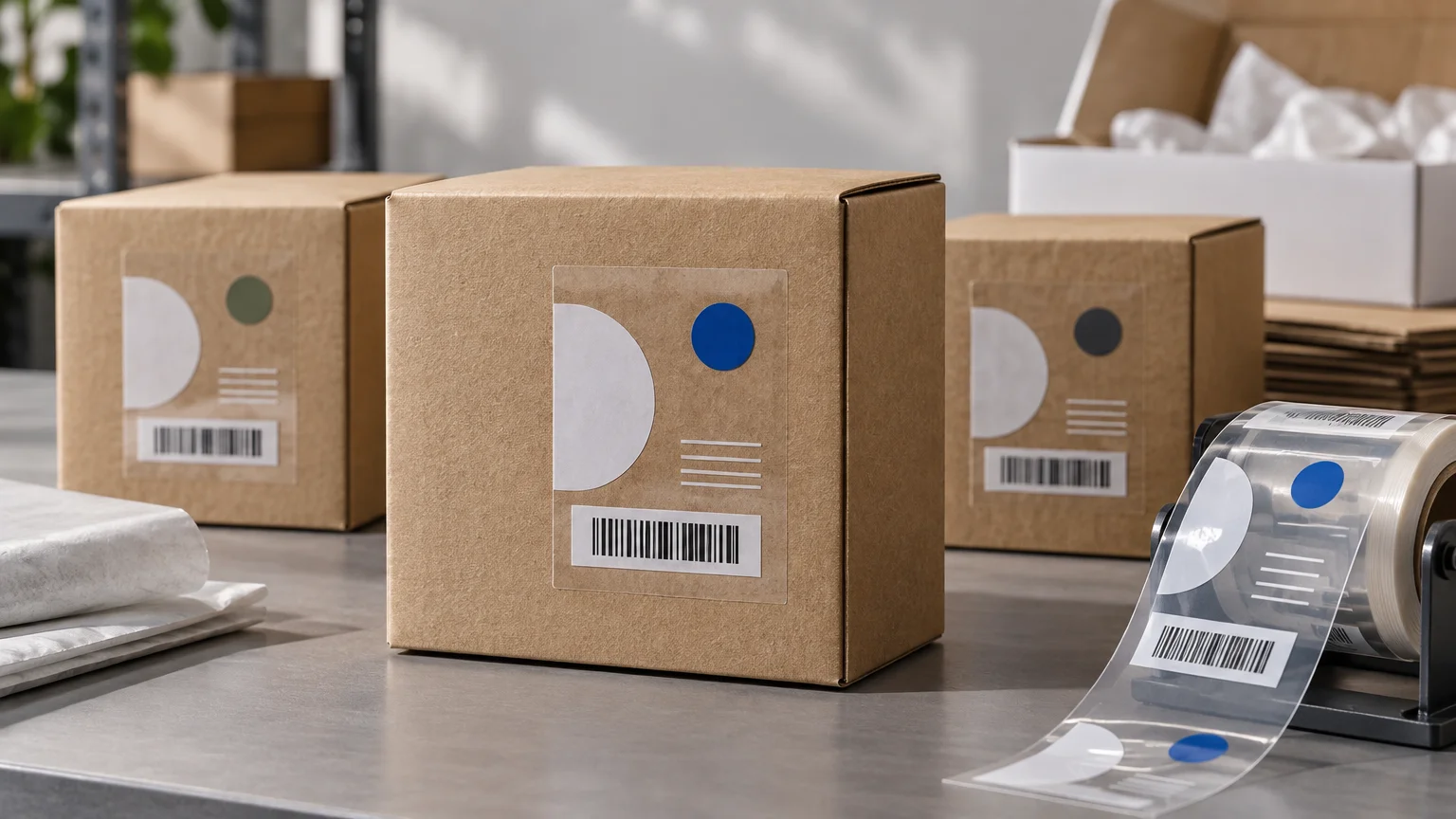
The main advantage of custom clear labels is visual: they can create a printed-on appearance without hiding the package beneath them. The operational risk is that the package, product and lighting all become part of the design. Copy that looked strong on a white screen may disappear against amber liquid, a dark carton or a transparent pouch filled with a changing product.
For most projects, the right sequence is to test the label on the actual package, decide where opaque white support is needed, verify critical codes in the final configuration and then lock the approved construction into the inventory system. That sequence is more reliable than approving artwork first and choosing material later.
When custom clear labels are the right choice
Clear labels are a strong fit when visibility is part of the product presentation. Common applications include bottles, jars, transparent pouches, clear tubs, premium cartons and tamper-evident seals. They can also simplify a packaging system by adding variable branding or product information to a shared container.
They are less forgiving when the same label must sit over widely different product colors, the surface is heavily textured, the container has a tight curve, or essential copy depends on consistent contrast. In those cases, a white or colored label may provide a more dependable reading surface. The broader labels versus stickers decision should be based on the component’s job and workflow rather than the name used by a vendor.
| Decision factor | Clear label | White label |
|---|---|---|
| Visual objective | Preserves visibility and can create a printed-on effect | Creates a defined, opaque graphic panel |
| Package variation | Best when backgrounds are known and tested | More consistent across changing package or product colors |
| Light artwork | May require white ink beneath selected elements | Usually has an existing white base |
| Critical copy | Needs deliberate contrast testing | Generally easier to isolate from the package background |
| Barcode use | Requires testing with the package and contents | Provides a more predictable background when properly designed |
| Application errors | Dust, bubbles and misalignment may be conspicuous | Minor application variation may be less visible |
Choose matte or gloss by testing the complete package
Clear is not a single visual finish. Avery describes glossy clear film as producing a printed-on appearance, while its matte clear film has a slightly frosted effect. These descriptions illustrate the difference buyers should evaluate, but they are specific to that manufacturer’s materials rather than universal specifications for every printer.
Gloss clear is usually the starting point when maximum package visibility is the goal. Matte clear can reduce the hard shine of a glossy film and create a softer visual transition, but the frosted effect may be noticeable over transparent areas. Neither choice should be approved from a digital proof alone. Place a physical sample on the filled container and inspect it under warehouse lighting, retail lighting and ordinary customer-use conditions.
Also consider the surface beneath the label. A film that looks nearly invisible on smooth glass can remain obvious on a textured plastic bottle. Container seams, molding marks and tight curves can make the edge or adhesive pattern more visible.
Decide where white ink is necessary
Standard color printing on transparent film is affected by whatever sits behind it. Light colors can lose intensity, and white artwork cannot appear unless the printing process supplies white ink. Avery notes that a white underprint can help lighter colors stand out on transparent label material. Whether it is needed depends on the artwork and package background.
There are three useful approaches:
- No white underprint: Leaves the printed colors transparent or translucent. Use this only when that effect is intentional and has been tested on every package variant.
- Full white underprint: Places an opaque white layer beneath a larger printed area. This improves consistency but reduces the transparent effect.
- Selective white underprint: Supports only chosen elements such as a logo, small text, warning icon or barcode panel while leaving other areas clear.
Ask the printer to show the white layer separately in the proof. That makes it easier to catch missing support beneath small type or accidental white ink in areas intended to remain transparent. If you are comparing providers that produce custom labels and stickers, send each one the same white-ink map and package details rather than relying on a generic request for a clear label.
Treat barcode performance as a final-package requirement
A barcode is not isolated from a transparent package. GS1 US explains that when a barcode has no printed background, the label, package or package contents may function as its background. Its placement guidance also addresses quiet zones, package edges and the need for a smooth scanning area. Review GS1 US barcode placement guidance before approving a code-bearing clear label.
Keep the symbol away from seams, sharp curves, crimped edges and areas where the product can move behind it. Protect the required quiet zones from text, borders and other visual noise. A selective opaque backing may help, but its dimensions and print quality still need to support the specific symbol.
GS1’s General Specifications advise verification in the final package configuration where possible. For non-opaque substrates with an unknown real-world backing condition, the guidance includes testing against dark and light backing conditions. This matters for transparent pouches, bottles with variable fill colors and products that may leave an empty space behind the code.
A sensible approval routine is to scan production samples while the package is full, partly empty and presented at realistic angles. Formal barcode verification may be appropriate when retailer, distributor or regulated supply-chain requirements apply. A phone-camera scan can be a useful check, but it is not a substitute for required verification.
Specify the construction around the real environment
The word clear describes appearance, not durability. Avery distinguishes water-resistant use cases from waterproof ones, which illustrates why exposure must be stated explicitly rather than assumed from the film’s transparency. Do not infer freezer, oil, chemical, abrasion or prolonged-water resistance unless the selected construction is documented for that condition.
Give the printer a practical description of the application and environment:
- Container material and surface finish, such as smooth glass, rigid plastic, flexible film or coated board
- Exact application area, including curvature, seams, recesses and available flat space
- Whether containers will be labeled empty, filled, cold, warm or affected by condensation
- Expected exposure to moisture, refrigeration, freezing, oil, abrasion, sunlight or repeated handling
- Required service life and whether the package is single-use or repeatedly opened
- Hand or machine application, including target application speed
- Label dimensions, corner radius and required gap between labels on a roll
- Roll core, maximum outside diameter, winding direction and copy orientation required by the applicator
- Any mandatory copy, traceability data, UPC, QR code or variable information
A supplier should match the face material, adhesive, liner and printing method to these conditions. Request the relevant specification rather than using broad terms such as permanent, waterproof or freezer-safe without defining the exposure. Product-contact and regulated-labeling requirements also need separate confirmation; transparency alone says nothing about suitability.
Plan for application at the packing bench
Clear film can make dust, fingerprints, bubbles and wrinkles more noticeable. The package should be clean, dry and at the expected application temperature. Operators need a defined placement reference, especially on round containers where a small angle error becomes obvious across the width of the label.
For manual application, test whether the liner and label size are easy to handle while wearing any required gloves. For automated application, confirm the applicator’s roll orientation, core and maximum roll diameter before production. A correctly printed roll can still be unusable if it unwinds in the wrong direction for the machine.
Run a small packing trial before committing to the full quantity. Record application time, reject causes and whether labels lift after the package rests. This trial is also where you should check that the component works with the wider custom ecommerce packaging system, including kitting order, scan steps and pack-station storage.
Control each label as an inventory component
A clear label may be inexpensive per piece, but obsolete labels can block an otherwise complete order. Assign each physical label version a unique component SKU and revision identifier. Shopify recommends unique, consistent SKUs for inventory tracking, fulfillment, reporting and third-party synchronization, and warns that duplicate SKUs can create tracking and integration problems.
The component record should identify the product variants that use the label, approved artwork revision, effective date, supplier, construction and pack quantity. Retain an approved physical sample or controlled reference so receiving and packing teams can compare later deliveries against the accepted result.
When artwork changes, decide explicitly whether the old version can be consumed, relabeled, quarantined or destroyed. Do not place old and new revisions in the same pick location without a documented transition rule. For a broader component-control framework, use the custom-label packaging workflow to connect specifications, replenishment and version ownership.
A worked example for a three-variant product line
Consider a hypothetical skincare line with three formulas in identical clear bottles. The brand wants one visual system while allowing each product color to remain visible. A practical structure could use the same clear-film size and die shape across all three variants, with variant-specific printed artwork.
The logo, product name and critical quantity statement receive selective white backing. A decorative pattern remains translucent. If a barcode must appear on the label, it receives its own controlled area and is tested on every filled formula because the contents differ in color. Each variant has a separate component SKU, even though dimensions and material are shared.
A short promotional message would be better handled as a separate removable component or insert when possible. That keeps campaign copy out of the longer-lived regulatory and product-identification label, reducing the quantity at risk when a promotion ends.
Quote-ready custom clear labels checklist
Send the following information with the artwork so the quote reflects the intended job rather than a generic clear-film assumption:
- Finished label dimensions, shape and corner radius
- Order quantity by artwork version
- Container material, finish, curvature and application area
- Photographs of the empty and filled package
- Preferred matte or gloss appearance
- A separate white-ink map showing full or selective underprint
- Exposure and handling conditions
- Permanent, removable or other adhesive objective, subject to supplier confirmation
- Barcode type, size, placement and verification requirement
- Manual or automatic application method
- Roll, sheet or individual-piece format
- Required roll core, outside diameter, winding direction and copy orientation
- Artwork owner, revision number and proof approver
- Target delivery date and receiving location
Do not approve the production run until the proof identifies the material, finish, adhesive, white-ink treatment, dimensions, format and artwork revision. For a high-risk package, request a representative physical sample and test it on the actual container.
Build the label around the package, not the screen
The best clear label is not simply the most transparent one. It is the construction that preserves the intended package appearance while keeping required information readable, codes scannable, application repeatable and revisions controlled.
Start by assembling the real container, filled product and artwork. Mark which elements must remain opaque, identify every exposure condition and document how the label will be applied. That brief gives a printer enough information to recommend and sample a construction—and gives your fulfillment team a component it can receive, stock and use without guesswork.