
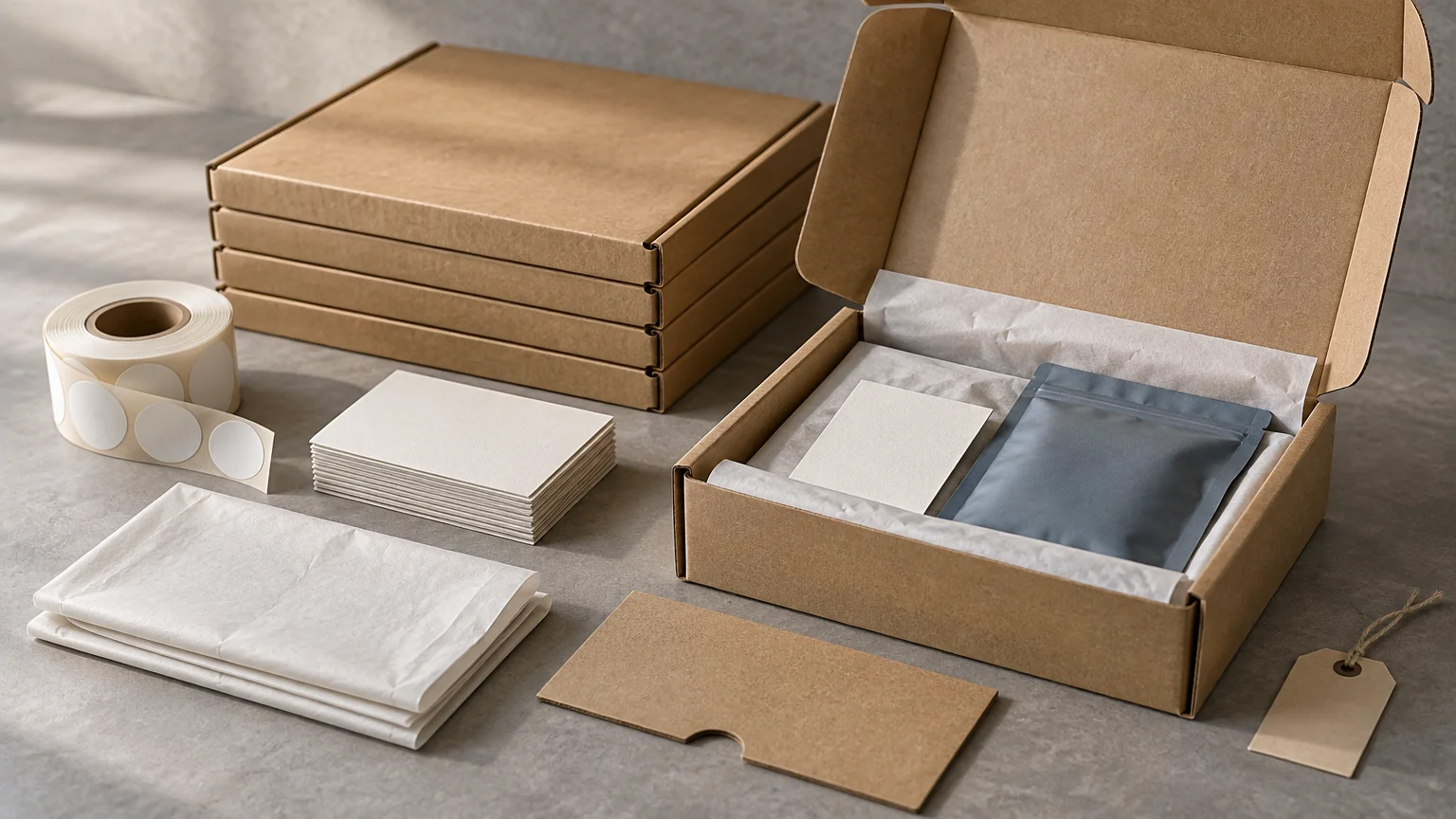
The way to scale hand-packed ecommerce orders is not to automate every task at once. First, turn the current packing method into a repeatable production system: define the pack for each order type, assign inventory codes to printed components, control artwork versions, establish replenishment points, and separate standard work from exceptions. Once those controls exist, you can increase batch size, introduce kitting, move work to another location, or add a fulfillment partner without relying on one person’s memory.
This transition usually begins before order volume looks “large.” The warning signs are operational: packers asking which insert to use, two label versions sitting in the same bin, campaign materials running out mid-shift, or someone approving another print run without knowing what remains in stock. Those problems do not disappear at higher volume. They multiply.
Freeze the standard pack before optimizing it
Document what goes into a normal order by product, channel, destination, and campaign. The goal is not a long procedure manual. It is a short packing specification that another trained person can follow without asking the person who designed the package.
For each order profile, record the shipping container, protective material, product label, insert, seal, and any promotional extra. Include the quantity of each component and the rule that activates it. “Add thank-you card” is incomplete. “Add insert INS-THANKS-04 to domestic first orders through June 30” can be checked, stocked, and retired.
Keep the number of standard packs small. A unique unboxing sequence for every SKU may look flexible at a kitchen-table scale, but it creates too many combinations at a packing bench. Start with a default pack and add variants only where the product, regulatory requirement, sales channel, or customer promise justifies the extra work. The broader packaging architecture can be developed using a controlled ecommerce packaging system rather than treating every printed item as an isolated purchase.
Treat every printed component as inventory
Printed materials become production inputs when orders depend on them. Give each active insert, label, card, mailer, and preassembled kit a unique internal code. Record its location, unit of measure, active artwork version, supplier, lead time, quantity on hand, and reorder point.
This does not require elaborate software on day one. A controlled spreadsheet can work for a small operation if one person owns updates and every receipt, issue, adjustment, and disposal is recorded. Once the operation uses multiple locations or needs purchasing tied to inventory, the ecommerce or inventory platform should become the system of record.
For example, Shopify locations represent places where inventory is stored and fulfilled, while its inventory tools support counts, adjustments, transfers, and purchase-order associations. That makes it possible to manage packaging components at the locations where they are actually consumed, rather than maintaining one theoretical company-wide number. Shopify’s inventory and locations documentation explains the location-based model.
| Control field | Example | Operational purpose |
|---|---|---|
| Component SKU | INS-WELCOME-04 | Separates one insert and artwork version from another |
| Pack rule | First subscription shipment only | Prevents unnecessary consumption |
| Stock location | Bin B-12 | Makes picking and counting repeatable |
| Reorder point | Demand during lead time plus buffer | Triggers purchasing before the bin is empty |
| Status | Hold, active, or obsolete | Keeps unapproved stock away from packers |
| Replacement | INS-WELCOME-05 | Documents the transition to the next version |
Do not reuse one component SKU after changing meaningful copy, dimensions, barcode data, offer terms, or regulatory information. A revision should receive a new version identifier even if the physical format is unchanged. Otherwise, the inventory count combines materials that cannot safely be used interchangeably.
Build a packaging bill of materials
A packaging bill of materials, or BOM, lists the components and quantities needed for one complete pack. A subscription renewal box might require one carton, one paper insert, two product labels, one sealing sticker, and one shipping label. Multiplying that BOM by the production schedule exposes shortages before packing begins.
The constraint is the component that supports the fewest complete packs. Shopify applies the same general principle to bundle availability: component inventory and the quantity required determine how many complete bundles can be sold. If 300 cartons and 300 inserts are available but only 180 seals remain, the operation has materials for 180 standard packs—not 300 nearly complete ones.
Use BOMs selectively. Stable subscription boxes, promotional sets, and recurring product combinations are good candidates. Highly variable orders may be better packed to order from a controlled component inventory. Kitting can reduce repetitive packing work, but only when the composition and expected demand are stable enough to justify assembling inventory in advance.
Purchase short runs around change, not just unit price
Set a reorder point for each critical component. A practical starting model is expected consumption during replenishment lead time plus safety stock. The inputs should reflect the operation’s own demand variability and the consequences of a stockout. A generic brand sticker can tolerate a smaller buffer if orders can ship without it; a required product label cannot.
Purchase orders should identify the component SKU and version rather than relying only on a supplier’s product description. Shopify purchase orders can record suppliers, products, quantities, costs, and payment terms. Its workflow also distinguishes incoming inventory from inventory available for use, supporting a receiving process in which printed materials are checked before being released to packing.
Create a receiving and release gate
A delivery at the warehouse is not automatically usable inventory. Receive printed materials into a hold area, compare the quantity with the purchase order, and inspect the shipment against an approved sample or specification. Check dimensions, copy, color where material, barcode readability, winding direction for roll labels, and whether the adhesive suits the application.
Label selection should begin with the actual package. Avery Dennison identifies application surface, moisture, contamination, temperature, and removable versus permanent adhesion as relevant material-selection factors; its guidance includes cardboard and corrugated surfaces. Avery Dennison’s label-material guidance provides a useful specification reference. For a detailed packaging workflow, use the custom-label specification framework before approving production.
Accepted stock can move to the active pick face. Damaged, questionable, or outdated stock should remain physically and digitally unavailable. Shopify distinguishes unavailable inventory from available inventory, which can support quality-control holds and damaged-material handling. The important control is universal: packers must not have to decide whether a questionable carton is safe to use while an order waits on the bench.
Design the station for standard work and exceptions
Arrange the packing station in the sequence work occurs. Put high-use materials within easy reach, identify each bin with the component SKU and version, and separate replenishment stock from the active pick face. Refill bins on a schedule instead of opening bulk cartons during every packing cycle.
Give exceptions their own lane. Orders requiring gift notes, replacement items, unusual packaging, manual address review, or campaign-specific materials should be flagged before they reach the standard bench. A standard line slowed by recurring exceptions is usually a routing problem, not a motivation problem.
Standardize shipping-label hardware as well. UPS says its shipping systems work with most thermal printers that print 4 × 6-inch labels, while WorldShip supports additional formats for certain document and extended-area uses. UPS thermal-label guidance should be checked against the carrier workflow and equipment in use. Avoid introducing another label size unless it solves a defined requirement.
Move from batches to a production schedule
Hand packing tends to follow whichever orders look urgent. Short-run production needs a release schedule. Group compatible orders by pack configuration, carrier cutoff, campaign, or product family, then issue a batch with an expected quantity and materials requirement.
A simple daily sequence might release standard single-item orders first, subscription kits second, and exception orders last. Before releasing each batch, compare its BOM requirement with available component inventory. After completion, reconcile packed orders, damaged materials, unused kits, and inventory adjustments. This closes the loop between the digital order queue and the physical shelf.
Location strategy matters as the operation expands. If a specialized insert is stocked at only one site but orders can route to several fulfillment locations, either distribute the material, constrain eligible orders to the equipped site, or remove that component from the service promise. Shopify’s fulfillment model can assign fulfillment work to locations, so packaging availability needs to be considered alongside product availability.
Scale suppliers without losing version control
Before moving from desktop output or local hand finishing to a print supplier, prepare a production specification for every component. Include finished size, material, adhesive where relevant, finish, artwork file, color expectations, quantity, packaging format, and version code. When replenishing branded seals or identification pieces, a source for custom stickers, labels, and related printed components can fit the workflow, but the internal specification and receiving controls should remain supplier-independent.
Do not switch the entire packaging system at once. Pilot one stable, high-consumption component, inspect the delivered run, and observe how it feeds the packing station. Then apply the same control method to the next component. This preserves the flexibility of short runs while steadily removing manual production work.
A practical transition sequence
- List the order profiles currently packed and identify the few that represent most standard work.
- Create a packaging BOM and one-page packing specification for each standard profile.
- Assign component SKUs and version codes to every active printed material.
- Count current stock, quarantine obsolete versions, and label storage locations.
- Set replenishment points using expected consumption, lead time, and an explicit buffer.
- Create a receiving inspection and release process before new stock reaches the bench.
- Batch compatible orders and route exceptions away from the standard packing flow.
- Pilot outsourced short-run production with one stable component before expanding the program.
- Review shortages, substitutions, waste, and packing errors after each production cycle.
The specific takeaway
Scale the controls before scaling the equipment. A reliable short-run operation knows which component belongs in each order, how many complete packs current inventory can support, which artwork version is active, when replenishment must begin, and where exceptions go. Once those answers are visible in the system rather than stored in one person’s head, hand packing can develop into repeatable production without sacrificing the flexibility that made it useful in the first place.
Frequently Asked Questions
What should an ecommerce operation standardize first?
Start with the standard pack for each major order profile. Specify the container, protective material, labels, inserts, seals, quantities, and rules that activate each component.
Should every printed packaging component have its own SKU?
Yes. Assign a unique internal code to each active insert, label, card, mailer, and preassembled kit so it can be counted, located, replenished, and retired.
When does an artwork change require a new version code?
Create a new version when meaningful copy, dimensions, barcode data, offer terms, or regulatory information changes. Do not combine inventory that cannot be used interchangeably.
What is a packaging bill of materials?
A packaging BOM lists every component and quantity required for one complete pack. Comparing the BOM with available inventory exposes shortages before a batch reaches the bench.
What limits the number of complete packs available?
The required component that supports the fewest complete packs sets the limit. Shopify uses the same general component-based principle when calculating bundle availability.
How should a reorder point be set?
Use expected consumption during supplier lead time plus safety stock. Adjust the buffer for demand variability and the operational cost of running out.
When is a short print run better than a larger run?
Favor a short run when artwork may change, demand is uncertain, storage is limited, or the component has a campaign end date. Larger runs are easier to justify for stable, broadly used materials.
What should be checked when printed materials arrive?
Verify quantity, dimensions, copy, relevant color, barcode readability, label winding direction, and adhesive suitability before releasing stock to packing. Surface, moisture, contamination, temperature, and adhesion requirements can affect label selection.
When should packaging be kitted in advance?
Pre-kit stable subscription boxes, promotional sets, and recurring combinations with predictable demand. Highly variable orders are usually better packed from controlled component inventory.
How should outsourced short-run production be introduced?
Pilot one stable, high-consumption component. Inspect the delivered run, confirm that it feeds the packing station correctly, and then apply the same controls to the next component.
References
- Shopify Help Center | Eligibility and considerations for using product bundles
- Shopify Help Center | Inventory and locations
- Shopify Help Center | Creating and managing purchase orders
- Shopify Help Center | Understanding inventory states
- Product Component Guide – ASEAN 2026
- Using a Thermal Printer for Shipping and Return Labels | UPS – United States